Home Press My Account Support Contact
go
welcome to icovia
 
Q: Why can't I load the new version of Icovia? It seems to hang when loading the icons.
A: You may have out-dated internet files stored on your computer. To correct this problem, use your Internet Browser to delete temporary Internet files. This is also known as "clearing the cache."
Q: Why can't I import images into Icovia?
A: Make sure that you are using the correct version of Flash Player and that your image is in the correct format (JPEG). Click HERE to learn more about importing images.
Q: Why won't my plans open when I email them?
A: If you are emailing plans to someone else:
The recipient probably has a pop-up blocker enabled, and/or does not have the Flash Player plug-in installed.

If you are emailing plans to yourself:
You may not be able to open plans you email to yourself if you are currently logged into Icovia. To fix this, first log out of Icovia and then close the browser. Next, open the emailed plan by clicking on the link in the email message.

Click HERE to read more about opening emailed plans. You can also check our blog for more information regarding this issue.
Q: Can I create a desktop shortcut to Icovia?
A: Absolutely! (Assuming you are using a Windows operating system)
  1. Go to your desktop and right click in a blank area.
  2. Click on "New"
  3. Click on Shortcut
  4. The Shortcut Wizard appears: paste this string into the edit box https://www.icovia.com/login.aspx
This will bring you directly to the login screen.
Q: How can I change the credit card used to pay for my Icovia subscription?
A: When you log in, your "My Account" page will appear. Click the "Change Billing Info" button to access the Billing Information page. Enter your new credit card information and click the "Submit" button to save changes.

If your subscription was de-activated due to a cancelled credit card, simply enter new credit card information on the "Billing Information" page to reactive your account. Click HERE to learn more.
Q: Can I change the way my name appears on printed plans?
A: Yes, you can change this and any other information you entered when you created your account. Simply log in, go to the "My Account" page and change your profile. Click HERE to learn more.
Q: Can I replace the Icovia Logo on printed plans with my own?
A: Having a custom-branded logo on the print-outs is one of the many advantages of having Icovia Business Edition. However, this functionality is not provided for Icovia Design Edition. Click HERE to learn how to brand Icovia for your business.
Q: I need a design tool that I can use to create floor plans. Which version of Icovia is right from me?
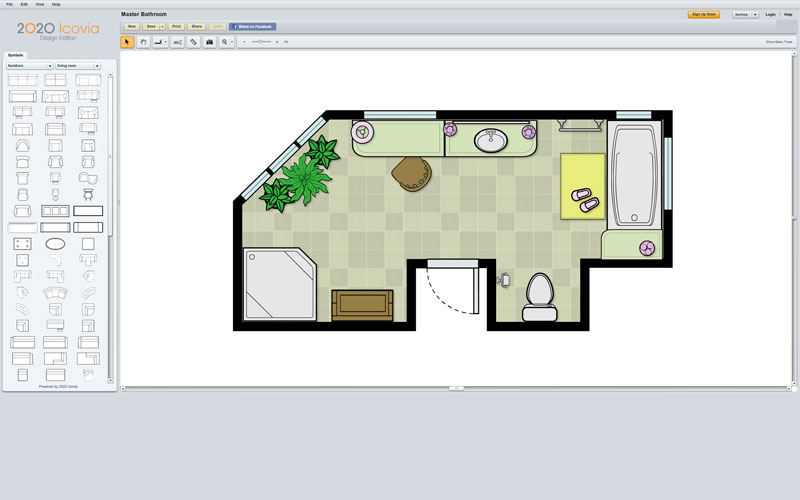
A: If you are looking for a design tool that is easy to use and produces professional-looking plans, then Icovia for Interior Designers is right for you. Click HERE to learn more about Icovia for Interior Designers.
Q: I want my customers to launch Icovia from my website. Which version of Icovia is right for me?
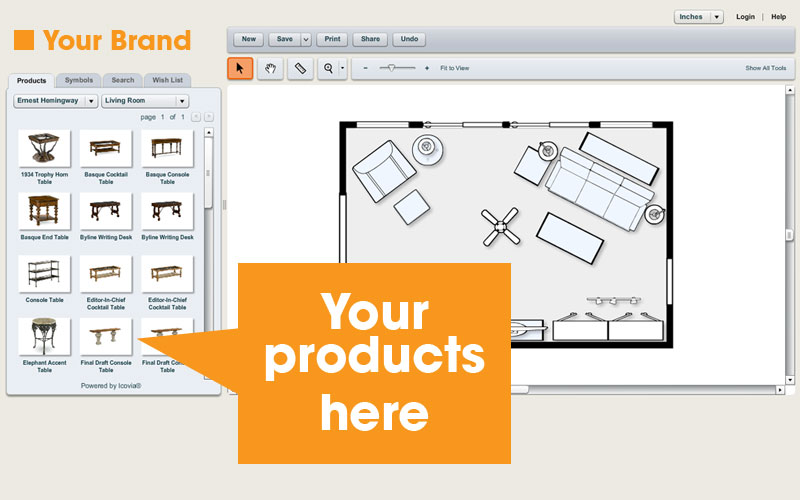
A: Icovia Business Edition is design specifically for this purpose. A customized version of Icovia, branded uniquely for your business, is seamlessly integrated within your web pages. Click HERE to learn more about Icovia Business Edition.
Q: Do I need a product database to use Icovia Business Edition?
A: No. Although many businesses delight in the ROI of having their own specific products represented in Icovia, Icovia comes in different "flavors" that meet the needs of any business. With Icovia, you have the freedom to choose the level of branding and icons that compliment your company's size and resources. Click HERE to request more information.
Q: How many new leads will Icovia Business Edition generate for me every month?
A: The amount of leads that Icovia Business Edition generates is directly related to the amount of traffic that your website receives. Most businesses realize a significant amount of valuable leads every month, sometimes numbering in the thousands. Read our blog to learn how to get the most out of Icovia through marketing and presentation.
Q: As a Business Edition customer, how do I access my registered leads?
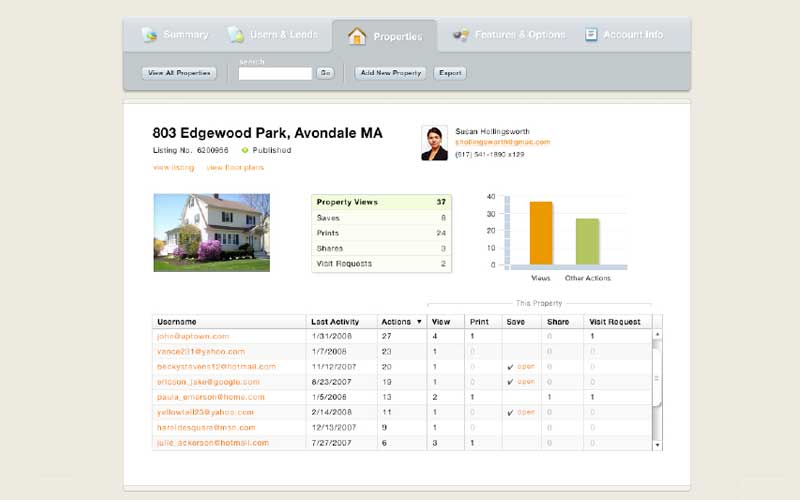
A: The Report Tool provides you with several reports that give valuable lead information, metrics on product interest, and much more. Click HERE to see the Report Tool in action. Contact Icovia Support & Service for your login information.
info@icovia.com(603) 206-6206 T©2000-2007 Icovia All Rights Reserved.privacy policy
home